Autonomous book folios
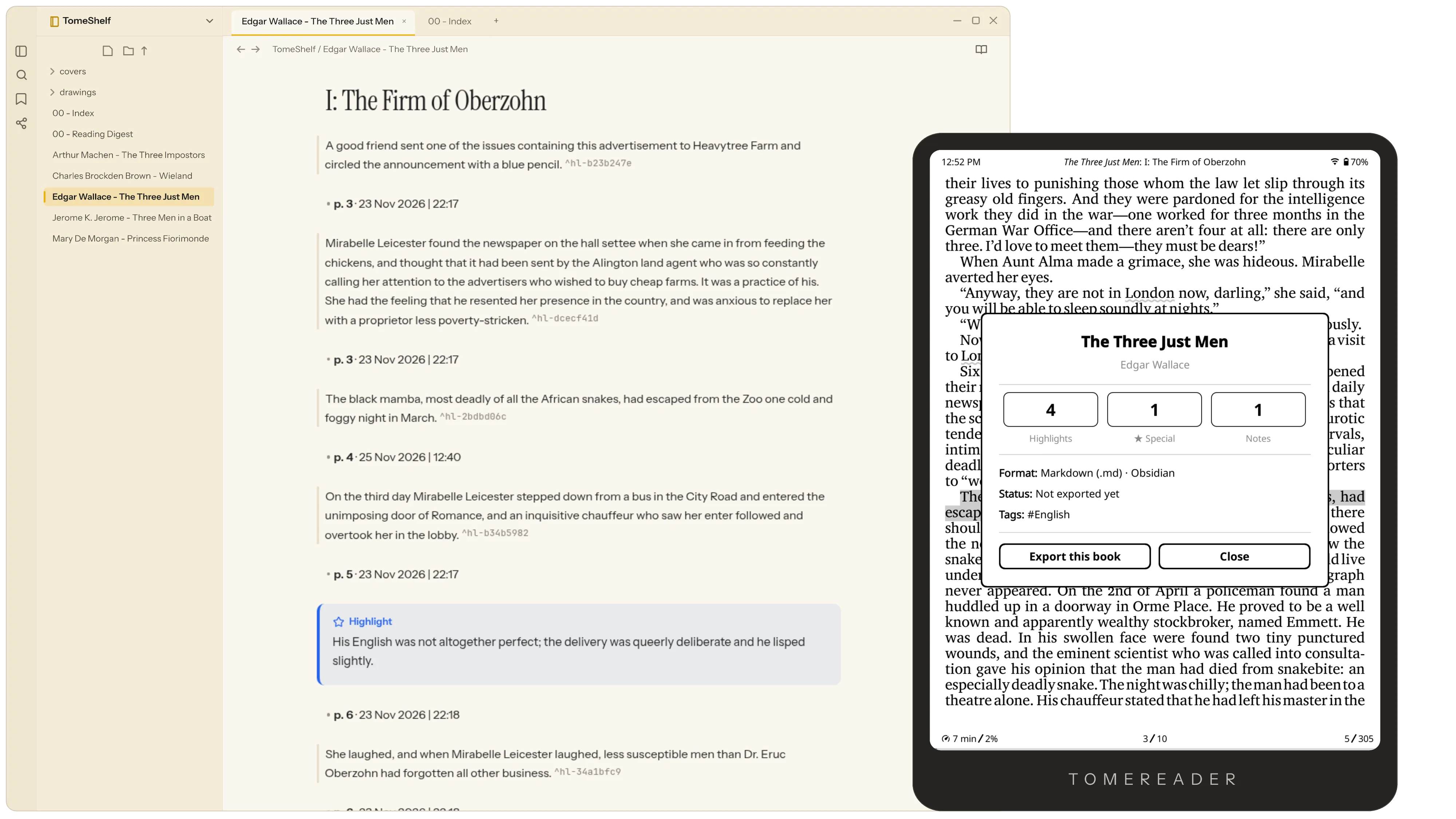
Every book generates its own standalone file with native ISO YAML dates (ready for Obsidian Bases & Dataview), reading dashboard, collapsible synopsis, body tags, and deep-linked Special highlights.
Turns every volume you read in KOReader into an enduring Markdown folio with native YAML frontmatter, cover art, stylus sketches, library catalog, and daily reading digest.
Direct from your e-reader to Obsidian or any plain-text folder. Zero accounts, zero telemetry, zero lock-in.
Most tools treat annotations as disposable sync feeds. Tomedown 3.0 gives every volume the structure of an enduring literary edition—tailored to Obsidian or pure plain text.
Toggle between rich Obsidian syntax and portable Standard Markdown, then test the four visual voices that unify book notes, 00 - Index.md, and 00 - Reading Digest.md.
████████░░ 82% · 9 highlightsEvery book generates its own standalone file with native ISO YAML dates (ready for Obsidian Bases & Dataview), reading dashboard, collapsible synopsis, body tags, and deep-linked Special highlights.
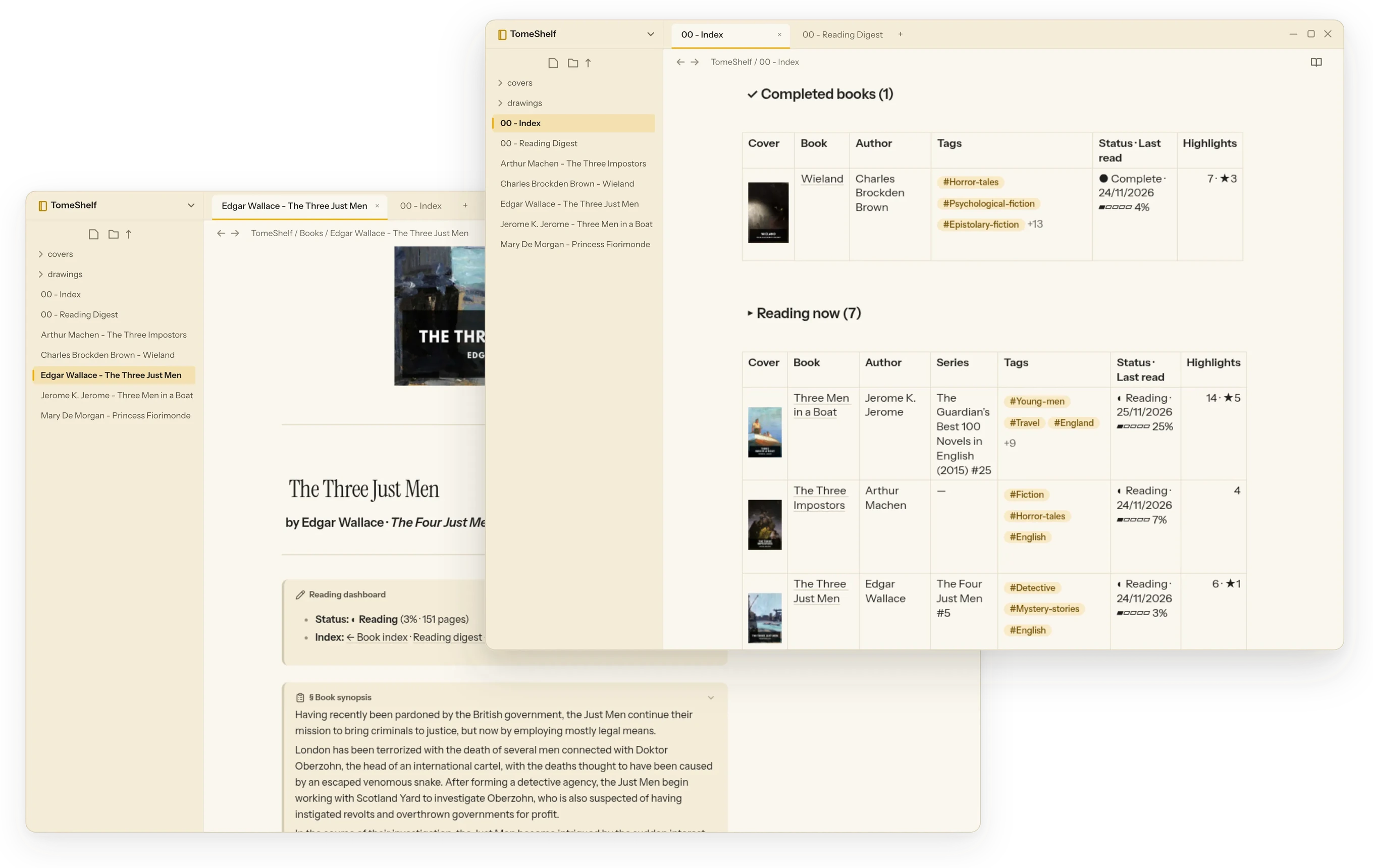
00 - Index.md builds an automatic bookshelf with 90×120 covers, Library dashboard metrics, a Completed books trophy showcase, tag cloud, and cross-link to your Digest.
00 - Reading Digest.md gathers every highlight across your entire library by calendar day, with direct block links back to the exact chapter and page—plus its own visual style selector.
Extracts KOReader handwritten stylus strokes directly from .sdr metadata into crisp drawings/*.svg vector files, captures surrounding sentence context, and formats personal notes cleanly as inline prose, [!note] callouts, or Markdown footnotes.
Write permanent reflections directly inside your book files in Obsidian. On re-export, Keep my notes preserves your prose and custom YAML while folding in new e-reader quotes and rotating .bak safety snapshots.
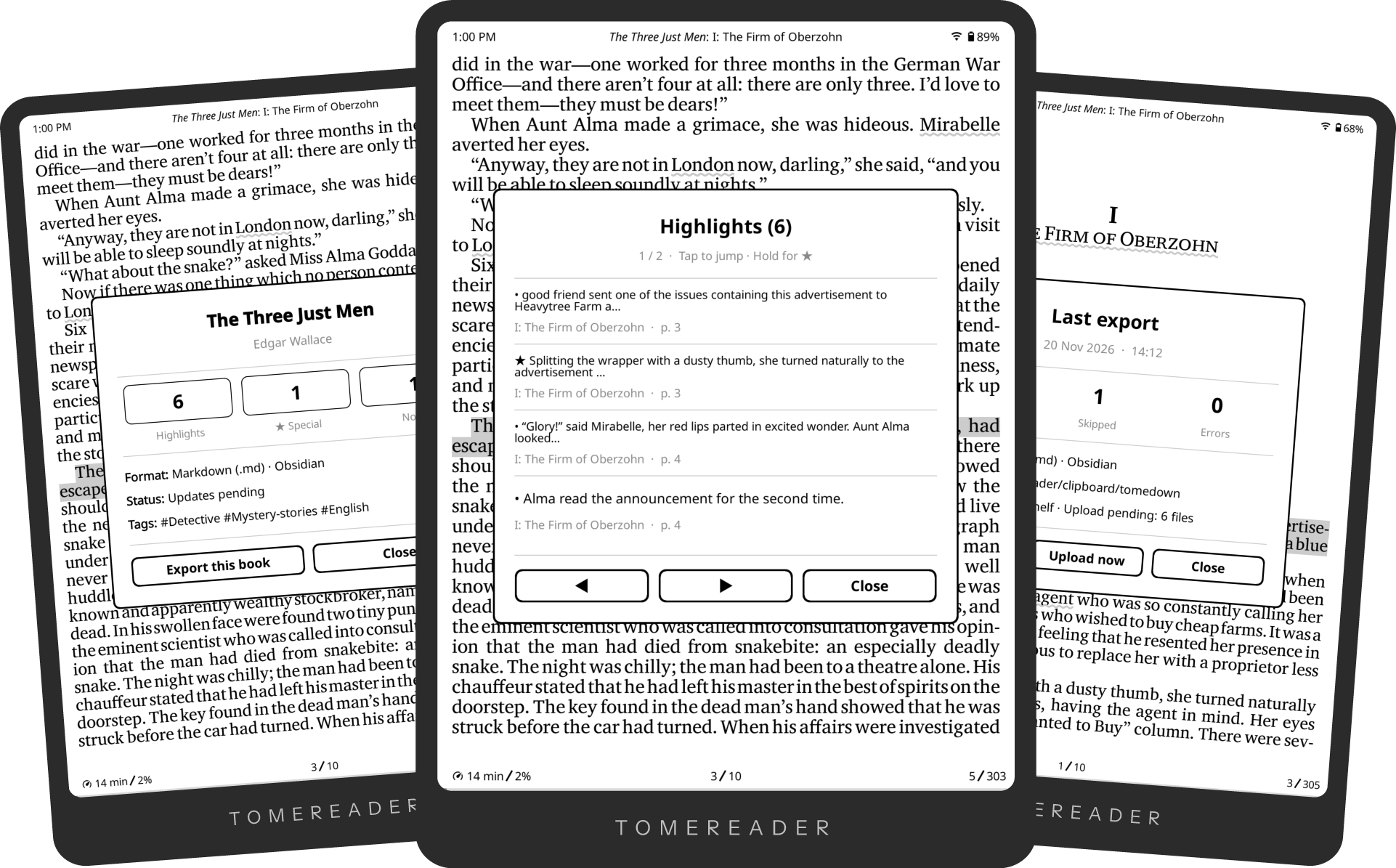
Browse highlights, Special quotes, and notes on e-ink via Current book cards; organize folders by %A author, %S series, or status; and carry your setup across devices with tomedown_settings_backup.lua.
Native KOReader summary cards while you read, paired with an indexed bookshelf and chronological digest in your vault.
Up and running in two minutes. Offline by default, wireless sync whenever you want it.
Search Tomedown directly in KOReader’s wireless Storefront / AppStore, or unpack the release archive into your device’s koreader/plugins/ directory:
unzip tomedown.koplugin-v3.0.0.zip -d /path/to/koreader/plugins/
tomedown.koplugin/ folder.Your book folios, cover thumbnails, stylus sketches, and library catalog are written straight to local storage:
koreader/clipboard/tomedown/
├── covers/
├── drawings/
├── 00 - Index.md
├── 00 - Reading Digest.md
└── Arthur Machen - The Three Impostors.md
Want automatic wireless delivery to your vault? Configure WebDAV, Nextcloud, Koofr, Dropbox, or SFTP in Settings → Cloud upload → Destination.
Everything you need to know before installing. Deep dives and edge cases live in the documentation.
Browse all FAQsNo. Tomedown runs 100% offline on your e-reader and writes directly to local storage. Wireless cloud upload (WebDAV, Nextcloud, Koofr, Dropbox, FTP/SFTP) in Settings → Cloud upload is strictly optional.
Yes. Switch Settings → Export → Markdown style from Obsidian to Standard (GitHub / HTML) for GitHub, MarkText, and Typora, or CommonMark (no HTML) (or export .txt) for strict zero-HTML output ready for Zettlr, Pandoc, Logseq, Bear, iA Writer, or Git.
Any device running KOReader (Kindle, Kobo, PocketBook, Boox, Android, Linux) and any format KOReader can annotate (EPUB, PDF, Kepub, DjVu, FB2, CBZ). Written in pure Lua with zero native binary dependencies.
Tomedown reads KOReader’s vector stroke data from each book’s .sdr folder and renders clean, resolution-independent drawings/*.svg files embedded right alongside the corresponding page and chapter.
No. With Keep my notes enabled, Tomedown preserves your freeform commentary and custom YAML properties, optionally pulls back highlight edits made in Obsidian, and keeps rotating .bak safety copies.
Yes—free software under the GNU AGPL-3.0 license, with zero telemetry, zero ads, and portable settings backup (tomedown_settings_backup.lua).
Free, open source, and built to remain readable twenty years from now.