
File format & specifications
Technical specifications of the Markdown documents, frontmatter schema, and tables generated by Tomedown.
The sample below shows a book note exported with Keep my notes for all books enabled. In a plain export (the default), the document is identical except that the ## My notes... heading and the HTML hash comments are omitted.
---
tomedown: "1.0"
title: "The Three Impostors"
author: "Arthur Machen"
language: "en"
pages: 210
exported: 2026-11-16
highlights: 14
special: 2
status: "reading"
progress: "38%"
tags:
- ebook
- highlights
- horror
- weird-fiction
---
## My notes... <!-- tomedown:notes -->
<!-- tomedown:begin body hash=9e7017ad — ⛔ generated below: do not edit inside or updates stop arriving · write your notes above -->
# The Three Impostors
### by Arthur Machen
> [!book] Reading dashboard
> - **Status:** ● **Reading** (38% · 240 pages)
> - **Rating:** ★★★★☆ (4/5)
> - **Reading dates:** 10 Nov 2026 → 16 Nov 2026
> - **Index:** [[00 - Index|← Book index]]
> [!abstract]- § Book synopsis
> A gripping mystery following Mr. Dyson and Mr. Phillips through the gaslit streets of London...
▪ *#horror* · *#weird-fiction*
---
> [!summary] Overview
> **14 highlights · ★ 2 special**
---
> [!highlight]- ★ Special highlights (2)
> “It is an old story; but it is ever new to those who have the eyes to see and the heart to feel.”
> — *Chapter I · p. 15*
>
> ---
>
> “I yield to fantasy, I cannot withstand the influence of the grotesque.”
> — *Prologue · p. 5*
---
# Chapter I
> It is an old story; but it is ever new to those who have the eyes to see and the heart to feel.
- **p. 15** · 16 Nov 2026 | 10:20
- **Note** — *to reread*
> Another highlight.
- **p. 18** · 16 Nov 2026 | 11:30
 ^hl-3a8f19bc
- **p. 25** · 16 Nov 2026 | 12:05 · ✍️ Handwritten note
- **Note** — *Margin sketch and arrow*
---
# Page bookmarks
> Check the epilogue again
- **p. 120** · 04 Sep 2026 | 08:15
<!-- tomedown:end body -->
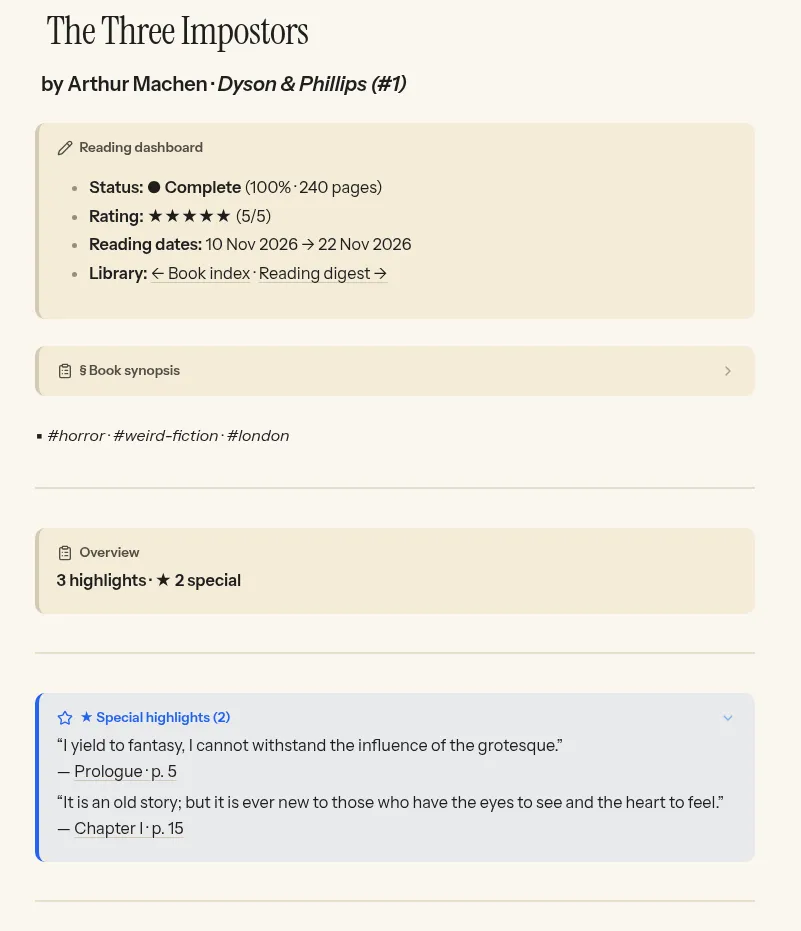
The sample above reflects an English interface. When running KOReader in Italian, German, French, Spanish, or Brazilian Portuguese, all exported headings and status labels are translated automatically (see Languages).
Frontmatter schema
| Field | Description & origin |
|---|---|
title, author |
Metadata extracted from the book file by KOReader |
series, series_index |
Present only when the book belongs to a series |
language |
Two-letter or full language code |
pages |
Total page count |
exported |
Date of the latest export (YYYY-MM-DD) |
highlights, special |
Total highlights count and count of starred highlights |
status |
Reading status: reading, abandoned, or complete |
progress |
Reading position percentage, for example "96%" |
published, rating, review, date_started, date_finished, collections |
Extended KOReader metadata, populated when Import book info is used (see below) |
tags |
Combined list of ebook, highlights, book keywords, and tags assigned via the menu |
tomedown_book_tags |
Internal ledger of tags managed by Tomedown, used during merges (see below) |
cover |
Path to extracted cover image (e.g. "covers/Author - Title.jpg"), when enabled |
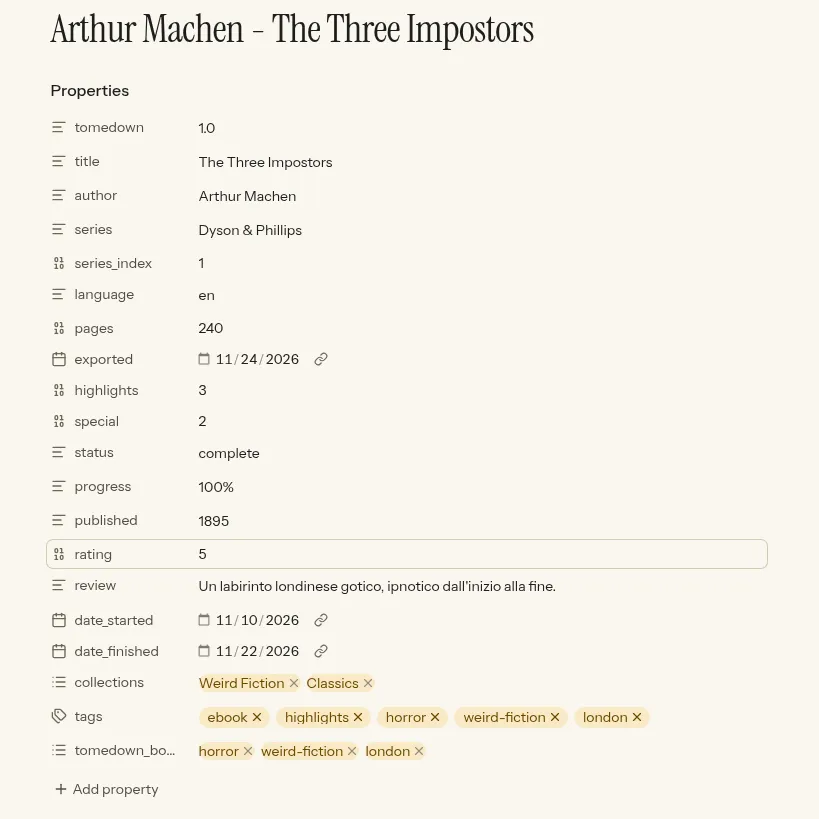
Frontmatter tag normalization & ledger
Every keyword is normalized into a valid Markdown/Obsidian tag:
- Spaces become hyphens (-).
- Punctuation characters (;, ', =, [, ], etc.) are stripped.
- Letters, numbers, hyphens, underscores, forward slashes, and Unicode characters (accents, emoji) are preserved.
- Tags composed purely of digits (such as 1500) are dropped by Obsidian: use 1500s or year-1500 instead.
When tags are assigned via Current book → Book info → Tags: %1, Tomedown appends them to tags and records them in tomedown_book_tags:
tags:
  - ebook
  - highlights
  - horror
  - psychological
tomedown_book_tags:
  - horror
  - psychological
Because tomedown_book_tags is a YAML property rather than a tag, Obsidian does not list it in its tag pane. During future exports with Keep my notes enabled, this ledger allows Tomedown to distinguish tags managed by KOReader from custom tags you typed manually in Obsidian, preserving your manual tags even when book tags are modified or cleared.
Current book → Book info → Tags: %1 → Delete tags… allows managing the global suggestion cache and removing obsolete tags from all managed books.
Extended book metadata & imported book information
Tomedown can incorporate rich metadata tracked by KOReader (ratings, reviews, reading dates, and collections). This feature is opt-in per book via Current book → Book info → Import book info, ensuring that existing notes remain untouched until you choose to import them.
published: "1999-05"
rating: 4
review: "Riveting narrative and atmosphere."
date_started: 2026-09-10
date_finished: 2026-10-01
collections:
  - Classics
  - Favorites
| Field | Source in KOReader |
|---|---|
published |
Embedded book metadata (EPUB, PDF, MOBI, AZW3, FB2, CBZ) |
rating |
1 to 5 stars assigned in KOReader |
review |
Personal review note recorded in KOReader reader panel |
date_started, date_finished |
Reading log calendar dates |
collections |
KOReader collections assigned to the volume |
To automate metadata imports across your collection, enable Settings → Book info → Update book info automatically.
Special highlights & callouts
Marking standout passages with Special Highlight in KOReader differentiates them from regular quotes. In Markdown, special highlights are rendered using your configured visual marker (Settings → Notes & highlights → Special highlight style):
> [!highlight]
> The line you never want to forget.
Obsidian, Notion, and GitHub natively render > [!highlight] (or > [!IMPORTANT]) as styled alert callouts. For plaintext editors or readers that do not support callouts, choose Bold (> **quote**) or Star & Bold (> ⭐ **quote**).
Personal notes
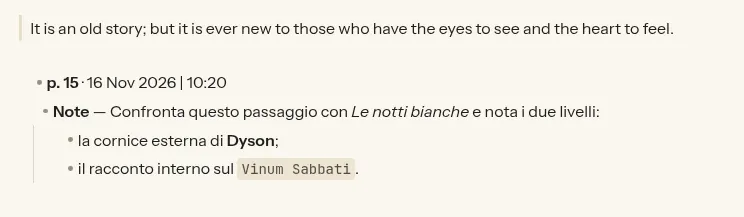
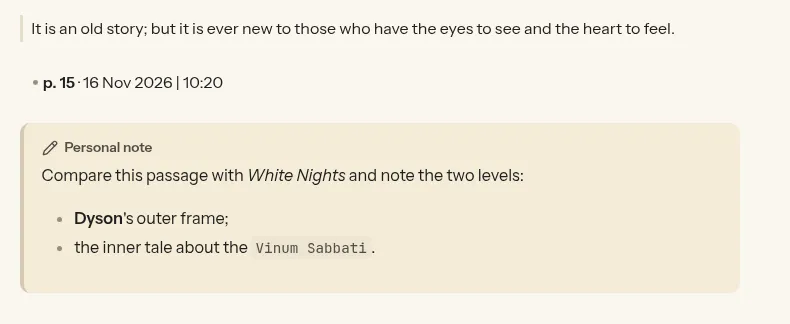
Personal reflections attached to a highlight in KOReader are formatted right below the citation according to Settings → Notes & highlights → Personal notes format (Inline smart indented bullet by default, Callout ([!note]) in Obsidian, or Footnotes [^1]):
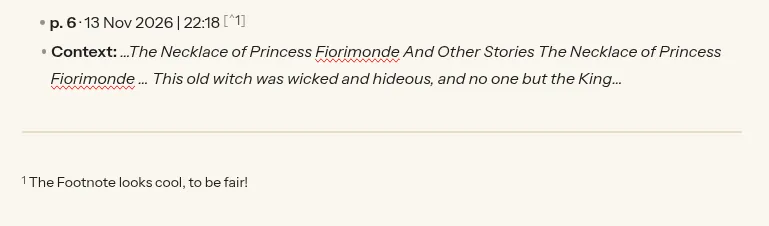
[^1] footnote references.Sentence context
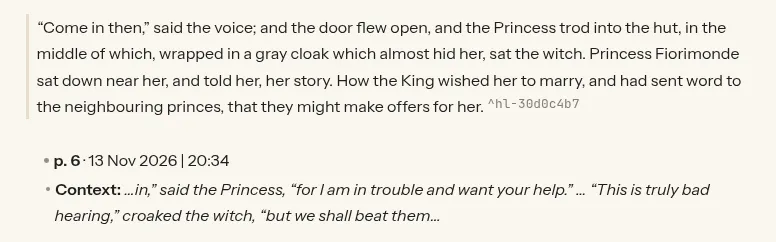
When Settings → Notes & highlights → Highlight context is enabled, Tomedown extracts the immediate sentence surroundings on reflowable documents:
> The core insight of the chapter.

- **p. 42** · 16 Nov 2026 | 10:30
  - **Context:** *…leading thought before the sentence. …following argument after.*
Granular link IDs (Block references)
With Settings → Notes & highlights → Link IDs on highlights enabled, every highlight receives an immutable 8-character hash anchor:
> An unforgettable observation. ^hl-4f2a9c31
- Jump to quote:
[[Book title#^hl-4f2a9c31]] - Embed quote live:
![[Book title#^hl-4f2a9c31]]
^hl-xxxxxxxx block anchor generated at the end of the quote for instant deep linking and embeds.Markdown styles: Obsidian, Standard & CommonMark
By default, Tomedown uses Obsidian Markdown style (Settings → Export → Markdown style → Obsidian), enabling Obsidian wikilinks ([[Book]]), collapsible callouts (> [!book], > [!abstract]-, > [!highlight]-, > [!summary]), and ^hl- block IDs.
Outside Obsidian, you can choose between two portable profiles (globally in Settings → Export or per book in Current book → Format & layout):
- Standard (GitHub / HTML) — built for GitHub, MarkText, Typora, and VS Code:
- Replaces
[!...]callouts with clean Markdown headings (### Reading dashboard,### ★ Special highlights,### Library dashboard), while keeping HTML<details>for foldable synopses and sized<img>tags for covers. - Uses standard
[Title](Book.md)links,**bold**(or⭐ **text**) special highlights, and omits^hl-block IDs. - CommonMark (no HTML) — built for Zettlr, Pandoc, Logseq, iA Writer, and strict CommonMark pipelines:
- Emits zero inline HTML tags (
<details>,<img>,<br>) and zero entities across book notes,00 - Index.md, and00 - Reading Digest.md. - Renders book covers with pure
syntax and extracts a compact260×390 pxJPEG (quality 75) so covers stay neatly proportioned without HTMLwidthattributes (switching back to Obsidian or Standard automatically re-extracts the full800×1200 pxcover on the next export). - Renders synopses as
### § Book synopsis+> ...blockquotes, formats00 - Index.mdas nested Markdown lists, and uses_..._single emphasis for lint-clean Zettlr compatibility.
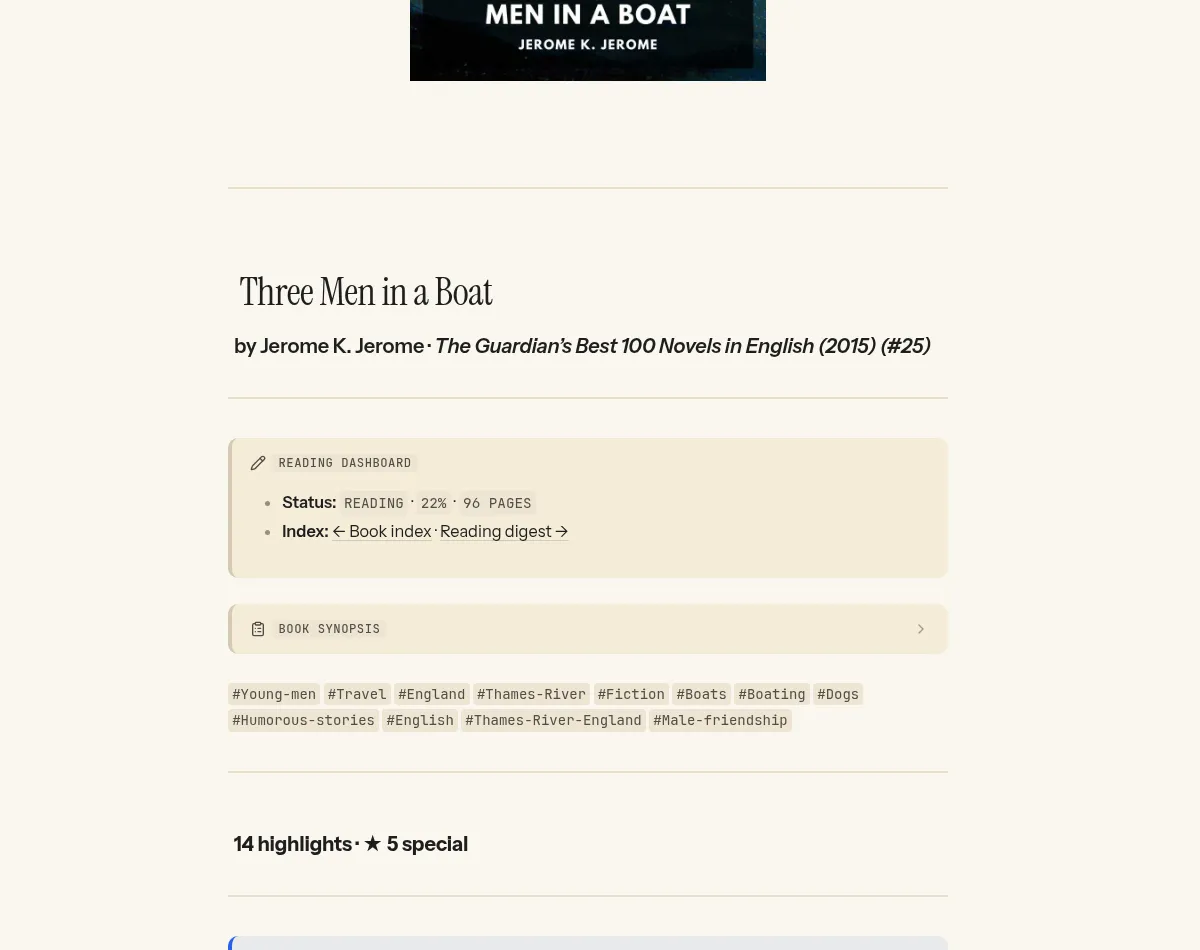 Obsidian
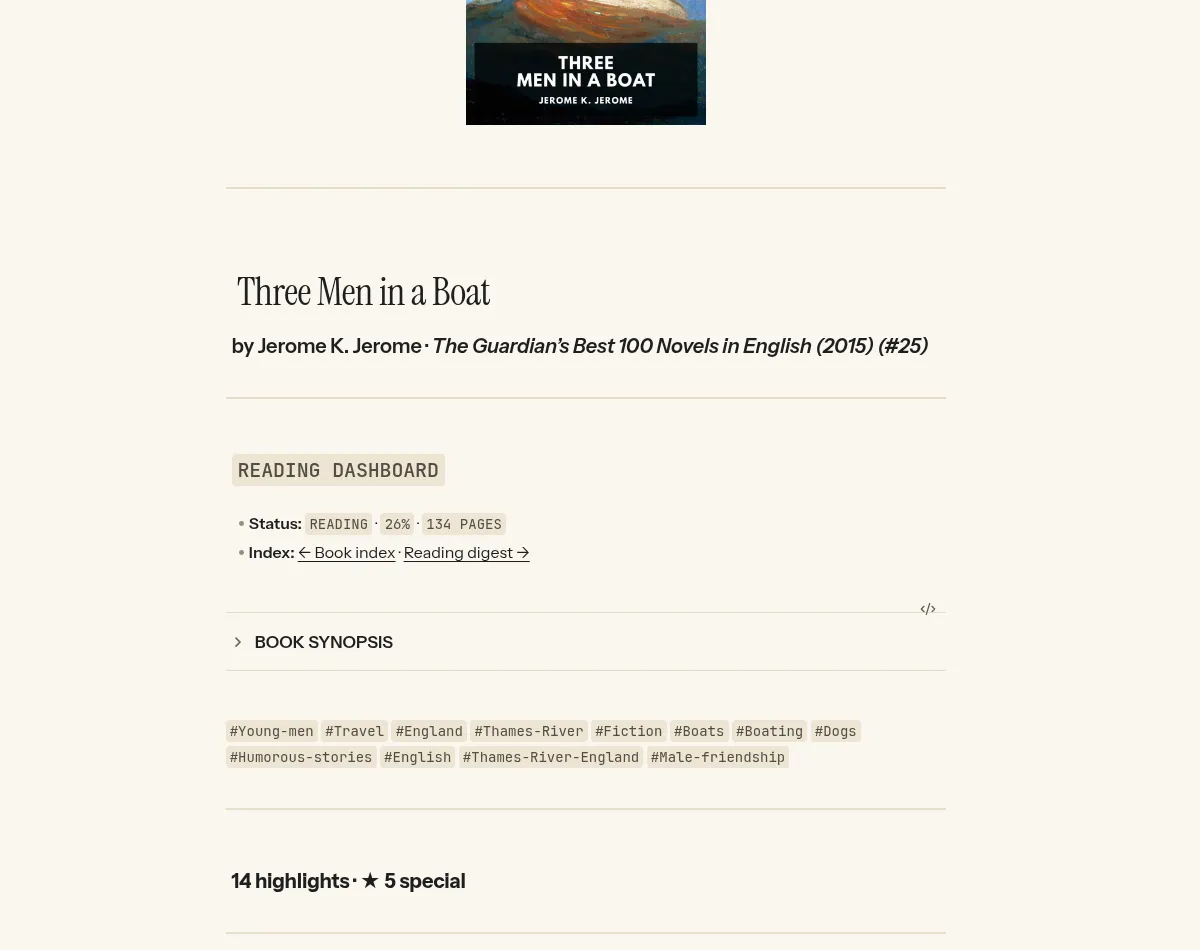 Standard Markdown
Covers
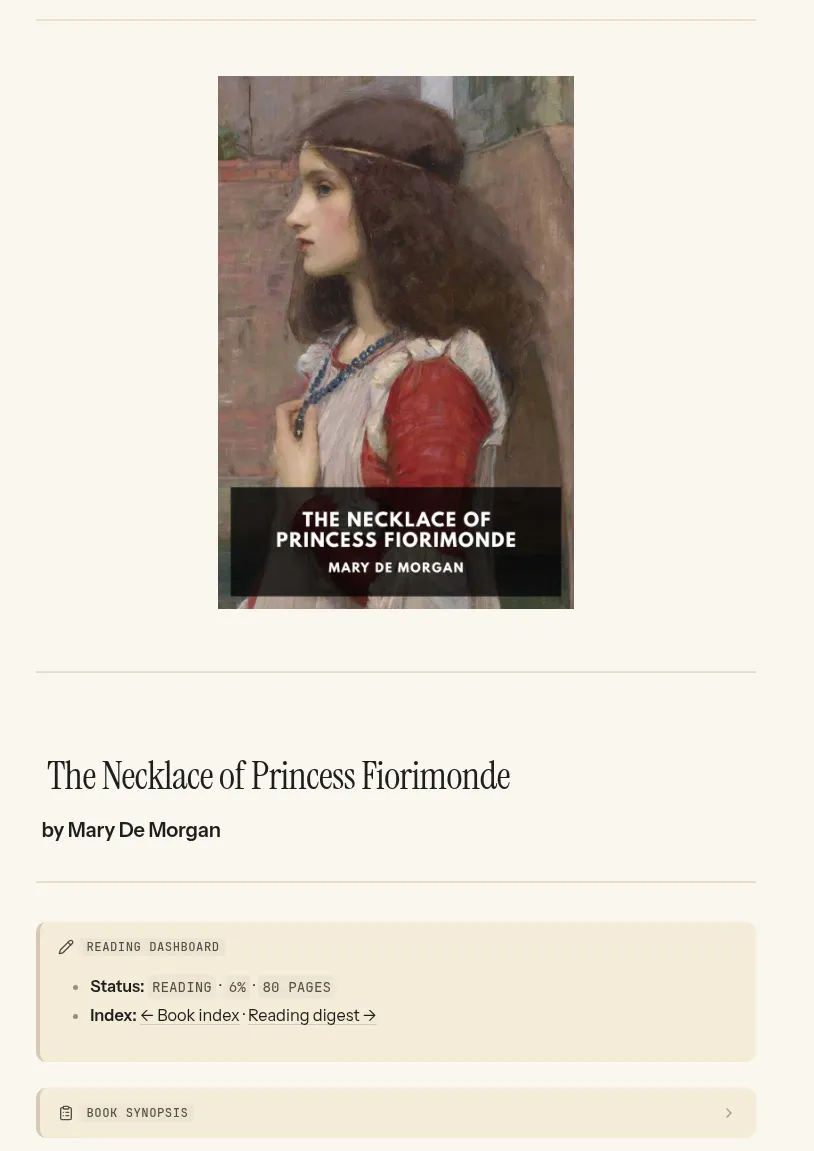
With Settings → Notes & highlights → Book page → Book cover (or Current book → Format & layout → Book page → Book cover) enabled, Tomedown extracts the cover image into your vault (covers/ by default, or any flat or nested path up to 3 levels such as assets/covers for Logseq/Obsidian in Settings → Export → File names & folders → Covers folder) as an 800×1200 JPEG in Obsidian / Standard modes (or a compact 260×390 JPEG with pure  syntax in CommonMark mode, resizing automatically whenever you switch profiles and re-export). When books are organized into subfolders (By author, By series, or By reading status), relative links (../assets/covers/...) and cloud WebDAV directories are resolved automatically:
---
cover: "covers/Arthur Machen - The Three Impostors.jpg"
---

<img src="covers/Arthur Machen - The Three Impostors.jpg" alt="" style="object-fit:contain;width:400px;height:533px">
The index (00 - Index.md)
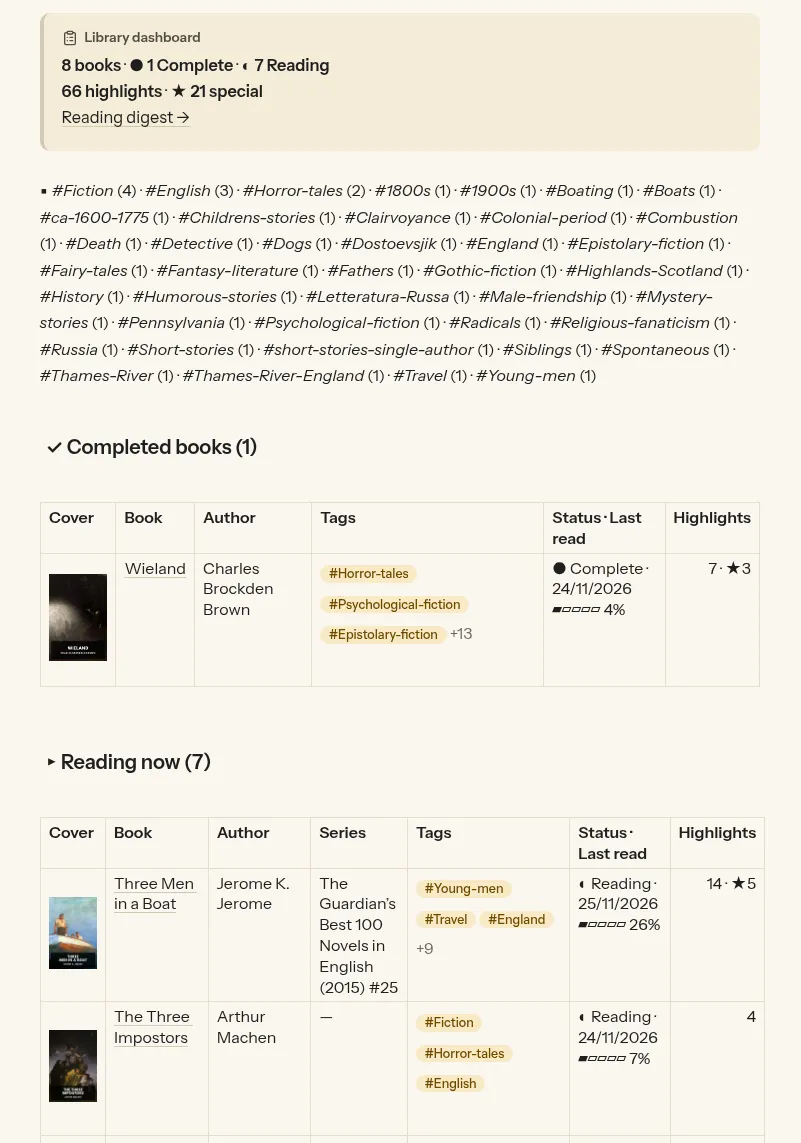
00 - Index.md acts as your personal library catalog in Obsidian:
| Cover | Book | Author | Series | Status | Last read | Highlights |
|:---:|---|---|---|---|:---:|:---:|
| <img src="covers/Edgar Wallace - The Three Just Men.jpg" alt="" style="object-fit:contain;width:90px;height:120px"> | [[Edgar Wallace - The Three Just Men\|The Three Just Men]]<hr>#mystery #crime | Edgar Wallace | The Four Just Men #4 | ● **Complete**<br>▰▰▰▰▰ 100%<br>★★★★★ | 16/11/2026 | 22 · ★5 |
Library index sections
Under Settings → Index & library, you can enable modular components in 00 - Index.md:
- Completed books: adds a
### Completed bookssection listing every finished book in your library with its rating, completion date, and highlight count. - Library dashboard: inserts an overview summary table displaying total books, volumes in progress, finished books, and total highlight count.
- Tag cloud: generates an alphabetical directory of all tags across your library with book count badges.
- Tags display: choose between Show all, First 3 (+N), or Collapsible ()to fold extensive tag lists behind an expandable HTML
<details>summary.
00 - Index.md in Obsidian: Library dashboard, Tag cloud, and Completed books trophy room.Handwritten notes & Stylus drawings
For devices equipped with a stylus (Kindle Scribe, Kobo Sage/Elipsa, Android e-ink, or via KOReader's pencil.koplugin), Tomedown automatically discovers handwritten annotations in the book's .sdr directory:
- Drawing Extraction:
- Vector drawings (point-sequence strokes) are transformed into scalable, sharp SVG vector files via a pure Lua vector generator.
- Raster drawings (e.g. pencil PNGs) are extracted with transparent borders.
- Images are placed into the
drawings/folder inside your vault (customizable via Settings → Export → File names & folders → Drawings folder, including nested paths up to 3 levels such asassets/drawingswith automatic file migration). - Standard Markdown Embeds:
- In the book note, drawings are embedded natively using standard Markdown image syntax.
- Each drawing receives an Obsidian block ID (
^hl-...), allowing you to link directly to or embed the handwritten drawing anywhere in your vault:![[Book Title#^hl-3a8f19bc]]. - Any text note attached to the stylus annotation in KOReader appears right below as a formatted user note.
 ^hl-3a8f19bc
- **p. 25** · 16 Nov 2026 | 12:05 · ✍️ Handwritten note
- **Note** — *Margin sketch and arrow*
Reading Digest (00 - Reading Digest.md)
When Reading digest (00 - Reading Digest.md) is enabled in Settings → Export (or exported on demand via Tomedown → All books → Export reading digest), Tomedown compiles a chronological reading journal grouping all highlights across your whole library by day:
---
tomedown: "1.0"
title: "Reading digest"
exported: 2026-11-16
highlights: 25
tags:
  - ebook
  - digest
---

# Reading digest

> *"Welcome to the quiet space where authors' thoughts linger, and your own reflections take shape."*

---

**2 books** · **25 highlights** · **★ 4 special**

## 16 Nov 2026

### [[Arthur Machen - The Three Impostors|The Three Impostors]] — *Arthur Machen*

> I certainly think,” replied Phillipps, “that, if you pull out that coin...

- *Adventure of the Gold Tiberius* · **p. 11** · 09:41

> Phillipps,” replied the elder and (it must be said) the more pompous of the two...

- *Prologue* · **p. 5** · 09:41

---

### [[Edgar Wallace - The Three Just Men|The Three Just Men]] — *Edgar Wallace*

> Her eyes went rapidly down the “Wanted to Buy” column.

- *I: The Firm of Oberzohn* · **p. 3** · 09:29
Key features of the Reading Digest:
- Literary Date Headings: ## 16 Nov 2026 groups quotes chronologically by day.
- Clean Timestamps: Under each quote, only the time of capture (09:41) is displayed, avoiding repetitive date text.
- Divider Between Books: A clean rule --- separates different volumes read on the same calendar day.
- Overview Block Support: Adopts your configured Overview style (Inline, Blockquote, Callout, Table) for library stats.