Chronological Reading Digest
00 - Reading Digest.md is a single chronological journal that brings together every highlight you take across all your books, grouped by day.
Obsidian · 00 - Reading Digest.md
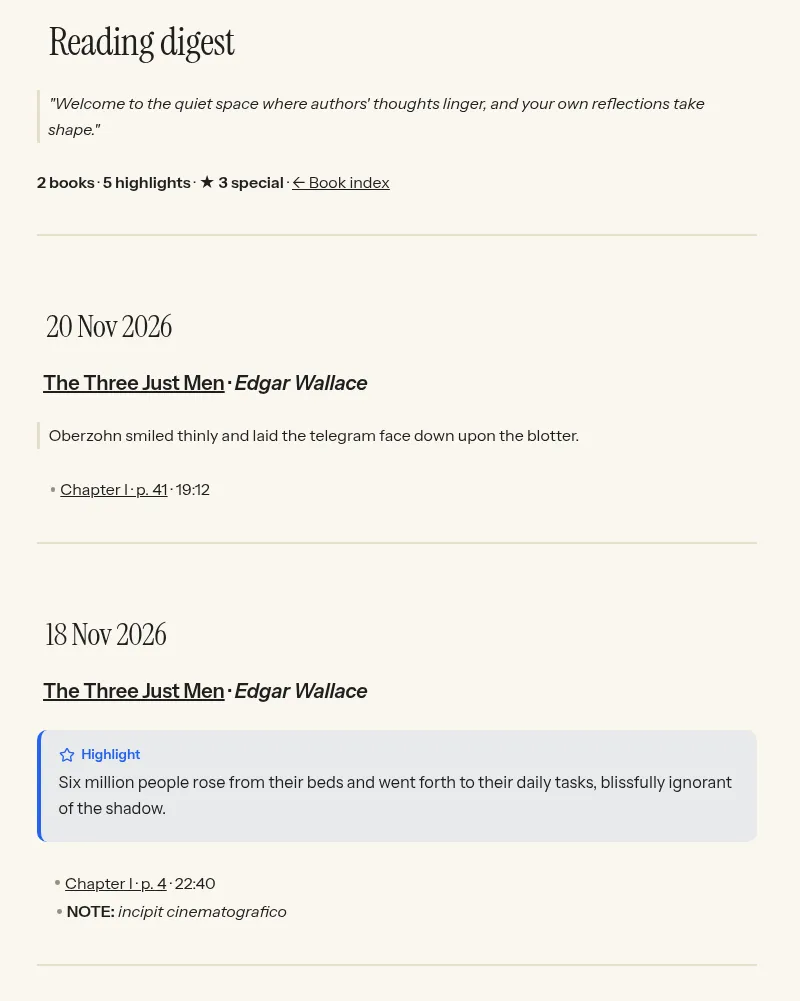
00 - Reading Digest.md in Obsidian: literary day headings, horizontal book dividers, and clean quote times.What is it?
While each book gets its own note (e.g. Arthur Machen - The Three Impostors.md), the Reading Digest gives you a daily timeline across your entire library:
- Literary Date Headings: highlights are grouped chronologically by date using clean literary formats (
## 16 Nov 2026). - Clean Timestamps: each quote displays its exact time of capture (
09:41) without repetitive dates. - Divider Between Books: multiple books read on the same calendar day are cleanly separated by a subtle horizontal rule (
---). - Direct wikilinks: each book heading links straight to its book note in your vault.
- Configurable Overview & Visual Style: library summary stats adapt to your Overview style, while Settings → Export → Digest style follows your Book style automatically (or lets you pick an independent style among Minimal symbols, Emoji, Code badges, and Editorial).
- Consistent styling: quotes keep your chosen highlight style (callouts, alerts, bold, or stars), with page numbers and timestamps.
How to export it
1. Automatic Export
Enable Settings → Export → Reading digest (00 - Reading Digest.md). Whenever you run a regular export or close a book with auto-export enabled, the digest is kept up to date automatically alongside your library.
2. On-demand Export
- Open KOReader's top menu (from the file browser or inside a book).
- Tap Tomedown → All books.
- Tap Export reading digest.
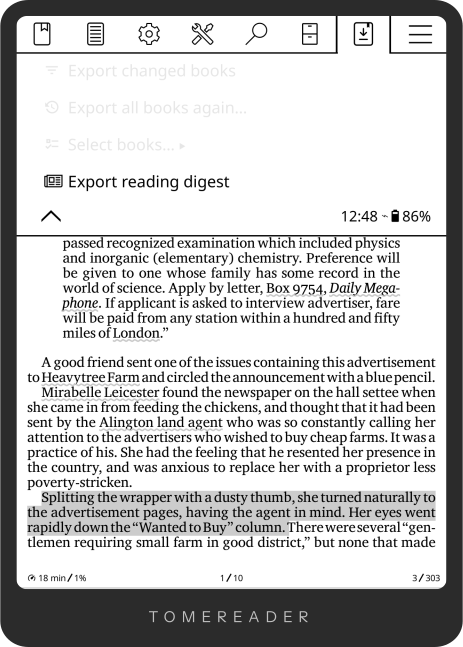
The file is written to your local Tomedown folder (clipboard/tomedown/00 - Reading Digest.md by default) and uploaded automatically if cloud upload is enabled.